Remember to define your printing orientation needs before designing.
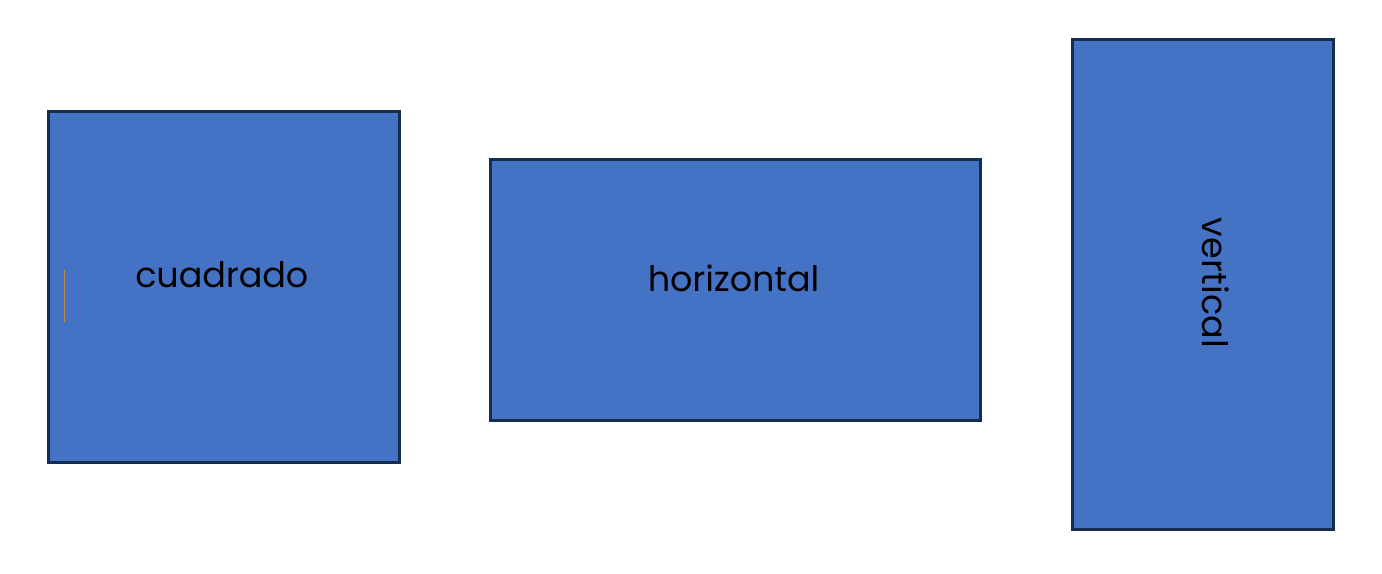
Decide whether you want your design to be square, rectangular, or edge-cut (only for stickers) and work from this idea to create your design.
- If your design is square or circular, check that the horizontal and vertical measurements match in exact size.
- If your design is rectangular, decide whether you need it vertically or horizontally, depending on your space requirements and preferences.
Accepted files for printing are JPG, PNG, or PDF. Each file has different characteristics that limit the tasks that can be performed by the printing staff.
JPG: JPG files are NON-EDITABLE image files, meaning that changes beyond size cannot be made by staff.
When providing a JPG file you must ensure that:
- Make the design in the size you need it to be printed
- Working on the design in CMYK format for printing
- Export the artwork in JPG at 300dpi resolution to obtain a defined image.
PNG: PNG files are image-type files with a transparent background, however, they are also NON-EDITABLE, meaning that changes beyond the size cannot be made by staff.
When providing a PNG file you must ensure that:
- Make the design in the size you need it to be printed
- Working on the design in CMYK format for printing
- Export the artwork in PNG at 300dpi resolution for a sharp image.
- Recuerde que el formato PNG es un tipo de archivo que “no tiene fondo” por ende, al ser impreso obtiene el color de fondo del papel a utilizar.
PDF: This is the ideal format for sending your prints. It maintains the highest quality fidelity for printing, both in images and text.
When providing a PDF file you must ensure that:
- Make the design in the size you need it to be printed
- Working on the design in CMYK format for printing
- Vectorize the fonts used (otherwise, they may be replaced when opened in another design program)
- You attach the images used so that they do not appear as missing boxes in the design.
- Save the file as editable for basic troubleshooting if necessary.
At Uvita Print, we use American paper, so measurements may vary depending on the system used to create your print file. Please adjust your file to the sizes used by Uvita Print to avoid thick print margins or loss of print information.
It will be printed in this size | If shipped in this size |
Letter: 8.5×11” | A4 |
Tabloid: 11×17” | A3 |
Poster: 12×18” | Poster: 12×18” |
Half letter: 8.5x5.5” | A5 |
Quarter letter: 4.25x5.5” | A6 |
Remember that all printers leave a white area at the edge of the page (approximately 5 mm in each direction). It is not possible to print projects to the edge of the page. If necessary, once the document is printed, it can be trimmed with a guillotine, always keeping in mind that some of the original size will be lost.
Accepted files for printing are JPG, PNG, or PDF. Each file has different characteristics that limit the tasks that can be performed by the printing staff. Similarly, the type of product requested may restrict the print file sent in one way or another.
JPG: JPG files are NON-EDITABLE image files, meaning that changes beyond size cannot be made by staff.
When providing a JPG file you must ensure that:
- Make the design in the size you need it to be printed
- Working on the design in CMYK format for printing
- Export the artwork in JPG at 300dpi resolution to obtain a defined image.
Estos archivos no son editables, su fondo es blanco y no pueden ser alterados. En caso de no conocer el perfil de color en el que el archivo ha sido generado, o la resolución del mismo es posible que pueda tener variaciones en colores, brillo, calidad u otros.
PNG: PNG files are image-type files with a transparent background, however, they are also NON-EDITABLE, meaning that changes beyond the size cannot be made by staff.
When providing a PNG file you must ensure that:
- Make the design in the size you need it to be printed
- Working on the design in CMYK format for printing
- Export the artwork in PNG at 300dpi resolution for a sharp image.
- Recuerde que el formato PNG es un tipo de archivo que “no tiene fondo” por ende, al ser impreso obtiene el color de fondo del papel a utilizar.
Estos archivos no son editables, su fondo es transparente y no pueden ser alterados. En caso de no conocer el perfil de color en el que el archivo ha sido generado, o la resolución del mismo es posible que pueda tener variaciones en colores, brillo, calidad u otros.
PDF: This is the ideal format for sending your prints. It maintains the highest quality fidelity for printing, both in images and text.
When providing a PDF file you must ensure that:
- Make the design in the size you need it to be printed
- Working on the design in CMYK format for printing
- Vectorize the fonts used (otherwise, they may be replaced when opened in another design program)
- You attach the images used so that they do not appear as missing boxes in the design.
- Save the file as editable for basic troubleshooting if necessary.
The color you see on a screen is created by combining three lights (red, green, and blue RGB), while the color in a print is created by mixing inks (cyan, magenta, yellow, and black CMYK).
There are several reasons why colors may change when printing, such as:
- Different screen and printing technologies
- Different color ranges between devices
- Different color profiles
- Problems with color management
Which is better for printing?
Due to these characteristics, when printing a document, the file should not be created in RGB , as certain color nuances, such as luminosity or brightness, cannot be reproduced in print. Color changes during printing are automatic, so before creating a file, it's important to verify that the design is in CMYK to avoid surprises in the final result.
DIGITAL LASER PRINTING FORMAT
The materials used in laser printers range in weight from 75 to 300g.
- 75 g bond paper as standard paper
- 90gsm bond paper like thick bond paper
- 230gr opal paper
- 300gr opal paper
- Coated paper 200 grams
- 300g coated paper
- Sticker paper 180grms
- Special papers such as metallic, bridal or recycled (230grms)
LARGE FORMAT UV PRINTING
Due to its versatility, the UV printer is used on a wide range of signage materials.
- Outdoor canvas (thick blockout canvas)
- Indoor canvas (canvas with a softer, more professional finish for high-resolution picture printing)
- White adhesive vinyl for lettering
- White adhesive vinyl for stickers
- Iridescent adhesive vinyl for stickers
- Iridescent adhesive vinyl for stickers
- Transparent adhesive vinyl for labeling
- Transparent adhesive vinyl for stickers
- Printable reflective adhesive vinyl for signage
- 2mm cardboard for posters
- Semi-rigid materials that could be placed in the printer.
How to prepare a file for printing?
- Check data and spelling.
- Design with the printed product in mind, not what you see on screen.
- Use CMYK palette.
- Images at 300 dpi, in CMYK.
- Respect the minimum 4mm margin towards the inside for texts and images that should not be cropped.
- Send fonts converted to curves or the font file.
- Use the (0,0,0,100) CMYK composition for texts that should be black.
- Use the correct color composition, keeping in mind that the result depends on this and not on what is seen on the screen.
- Use easy-to-read fonts, minimum recommended size 6pts.
- We do not recommend the use of borders to avoid any noticeable cutting errors.
- If edges are used, they should be no smaller than 3 mm to avoid an imperfect cut being visually noticeable.
- Business Cards
Business cards are made on 300-gram opal paper. They can be printed on one or both sides. Uvita Print offers three card options.
- Simple Business Card: printed on 1 or both sides on 300gsm opal.
- Glossy Laminated Business Card: printed on 1 or both sides on 300gsm opal laminated with 5 micron glossy plastic.
- Matte Laminated Business Card: printed on 1 or both sides on 300gsm opal laminated with 3 micron matte plastic.
- Brochure
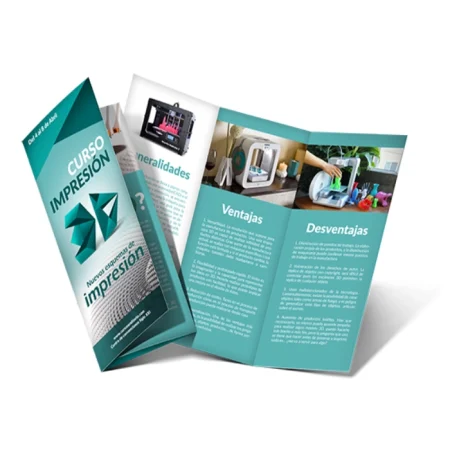
Brochures or trifold brochures are letter-sized promotional materials printed on both sides and folded into two (diptychs) or three (trifold) sections. We recommend using 180-200gsm coated paper (magazine-style) or thick bond paper (90gsm) if you prefer a matte finish.
- Flyers
Flyers are half- or quarter-letter-sized promotional materials printed on one or both sides of the paper. We recommend using 180-200gsm coated paper (magazine-style) or thick bond paper (90gsm) if you prefer a matte finish.
- Paper Stickers
Paper stickers are printed on letter-sized sheets. You can order as many units as the customer requests, depending on the size needed. We offer glossy or matte sticker paper. These stickers can only be cut straight, in square, or rectangular sizes. Shapes or circles cannot be cut.
- Ink jet plastic stickers
Plastic stickers are printed on an Epson inkjet printer on letter-sized sheets. You can order as many units as the customer requests, depending on the size needed. We offer white or iridescent plastic sticker paper. These stickers can only be cut in straight lines, square, or rectangular sizes. Shapes or circles cannot be cut.
- Posters
Posters are printed advertisements in letter or double-letter size. They are typically printed on 230gsm opal paper on one side.